2026-11-08
Custom CRM Pipelines for Industry-Specific Sales Motions
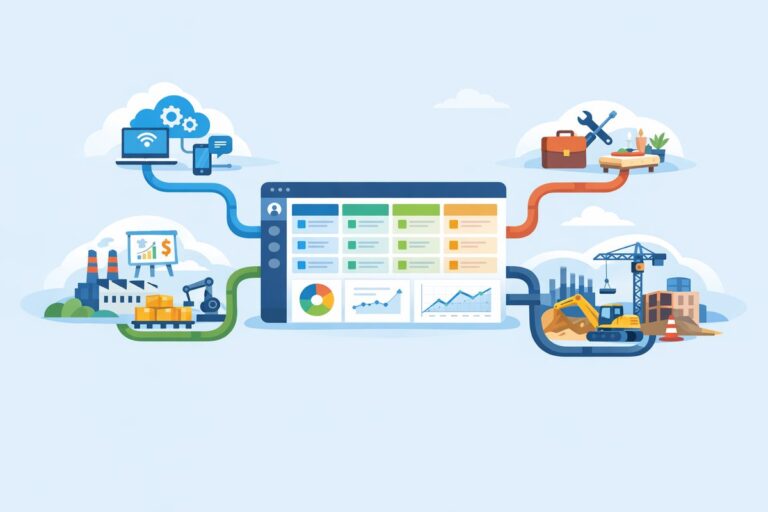
Learn how to tailor CRM pipelines by industry without overcomplicating stages, fields, handoffs, or reporting.

A CRM switch is rarely just a software decision. It touches sales habits, customer history, pipeline reporting, integrations, permissions, and the way leaders inspect the business. That is why many teams stay with a poor-fit CRM for too long: the system is annoying, but the move feels risky. The better question is not can we tolerate this another quarter? It is is the current CRM limiting how we sell, serve, and grow? If the answer is yes, a planned transition can be less disruptive than another year of workarounds.
Every CRM has friction. A few missing fields or an unpopular screen layout do not justify a major change. The case for switching becomes stronger when the CRM is creating recurring operational problems that cannot be solved through configuration, training, or process cleanup.
Common signals include:
One useful test is to list the top five CRM complaints and categorize them. Are they training issues, configuration issues, process issues, or platform limitations? Switching should be reserved for problems in the last category, or for situations where the cost of fixing the current setup is close to the cost of moving.
A new CRM will not automatically fix unclear ownership, inconsistent qualification, or managers who do not reinforce data standards. Before committing to a provider change, examine whether your current pain is caused by the tool or by the way the tool has been allowed to evolve.
For example, if every sales region uses different opportunity stages, a new CRM will simply recreate the confusion unless leadership agrees on a common pipeline model. If required fields are ignored today, a new interface may improve adoption, but only if the team also understands why the fields matter. If duplicate accounts are common, migration is a chance to improve governance, not a guarantee that bad data will disappear.
Run a short discovery with people who use or depend on the CRM:
Ask each group for specific examples, not general preferences. Instead of asking whether they like the CRM, ask where a deal gets stuck, where data is re-entered, which reports they export to fix manually, and what information is missing during customer conversations. This keeps the decision grounded in business impact.
A CRM migration should not be treated as a cosmetic refresh. It is an opportunity to redesign how customer information moves through the company.
The strongest business case for switching is not a list of features. It is a clear explanation of the operational outcomes the company needs and why the current CRM cannot reasonably deliver them.
Start by defining the target outcomes in plain language. For a B2B sales team, these might include faster lead response, cleaner account ownership, better visibility into renewal risk, fewer manual handoffs, or more reliable pipeline inspection. Tie each outcome to the people affected and the decisions it will improve.
Next, define what is in scope for the first release. Many CRM switching projects become too large because every team sees a chance to fix years of frustration. A phased approach is safer. Your initial rollout might include core accounts, contacts, opportunities, activities, essential dashboards, and the integrations that sales needs daily. More advanced automation, custom analytics, or secondary team workflows can follow once the foundation is stable.
Your business case should also include the real costs of change, even if you do not assign exact numbers yet. Consider internal project time, data cleanup, implementation support, training, temporary productivity dips, integration work, and ongoing administration. A provider that appears simpler on the surface may require more process redesign; a more powerful platform may require stronger governance. Both can be good choices, but leadership should understand the trade-offs.
Finally, define success criteria before signing with a new provider. Examples include:
CRM migration planning should begin before configuration begins. The project needs three workstreams: data, process, and people. If one is ignored, the go-live will feel unfinished no matter how good the software is.
Do not migrate everything by default. Old CRM systems often contain outdated fields, inactive users, abandoned automations, stale opportunities, and notes that no one has opened in years. Moving all of it increases complexity and makes the new system feel old on day one.
Create a data inventory. Identify account, contact, lead, opportunity, activity, product, contract, and custom object data. For each category, decide whether to migrate, archive, summarize, or exclude it. Define rules for closed-lost opportunities, inactive accounts, bounced contacts, and historical activity records. Sales leaders should help decide what history is genuinely useful for selling and account management.
Map fields carefully. A field with the same label may mean something different in the new process. For example, source might refer to original marketing source in one system and latest lead source in another. Write definitions so migration does not preserve ambiguity.
Document the future-state journey from first inquiry to closed deal and, if relevant, to renewal or expansion. Define stages, entry and exit criteria, ownership changes, required information, approval points, and handoffs. Keep the first version simple enough for reps to follow consistently.
Review automation with a critical eye. Legacy CRMs often collect rules that no one remembers creating. Rebuild only the automations that support the agreed process, such as lead routing, task creation after key stage changes, renewal reminders, or manager alerts for stalled deals.
Training should be role-based. Reps need to know how to manage their day, update opportunities, and find account context. Managers need dashboards, inspection routines, and coaching workflows. Admins need governance, permission models, and support procedures. Executives need to understand what reports mean and what has changed from the old system.
Choose a small group of champions from sales and customer-facing teams. Involve them in testing, naming confusing steps, and identifying where the CRM does not match real work. They will become more credible advocates than a project team working in isolation.
The cutover is where CRM projects either feel controlled or chaotic. Create a clear timeline that includes data freeze dates, final migration runs, user access changes, integration testing, training sessions, and go-live support. Communicate early so teams know when to stop updating the old CRM and what to expect during the transition.
Before launch, perform a pilot or user acceptance test with realistic scenarios. Do not only test whether records imported. Test whether a rep can convert a lead, create an opportunity, update a stage, log an activity, generate a quote request if applicable, and view the right dashboard. Test manager workflows too: pipeline review, forecast inspection, territory view, and rep activity review.
Prepare a rollback or contingency plan. You may not need to return to the old CRM, but you should know how to handle blocked users, missing records, broken integrations, or reporting gaps. Assign owners for issues and create a simple channel for launch support. During the first days, fast answers matter more than perfect documentation.
After go-live, avoid declaring victory too soon. Hold daily check-ins for the first week, then weekly reviews for the first month. Track recurring questions, fields that users misunderstand, records that fail validation, and reports managers still export. These signals tell you where to adjust configuration, training, or process guidance.
The right time to switch CRM providers is when the current system prevents the business from operating the way it needs to operate, and reasonable fixes no longer close the gap. Treat the move as a business transformation project, not a software replacement. With clear outcomes, disciplined scope, thoughtful data decisions, and strong user preparation, a CRM switch can give teams more than a new interface. It can create a cleaner, more reliable way to manage customer relationships.
Learn how to tailor CRM pipelines by industry without overcomplicating stages, fields, handoffs, or reporting.

Learn the warning signs that your CRM no longer fits, plus a practical plan for migration, cutover, and sales team adoption.

A practical guide to syncing CRM and email marketing data so sales and marketing can act on the same customer signals.